ports · 4 ports
Terminals
Four terminals, one theme. Each port is the same sixteen ANSI colours, cursor and selection, written in the file format its terminal reads — pick yours and the rest of the page follows.
Ghostty
The full 16-colour ANSI mapping, plus cursor, selection and split dividers.


Install
~/.config/ghostty/themes/sp_night_noite~/.config/ghostty/themes/sp_night_garoa~/.config/ghostty/themes/sp_night_jaraguatheme = sp_night_noitetheme = sp_night_garoatheme = sp_night_jaraguaThose are the paths for the flavour selected in the header — switch it and they follow.
Ghostty resolves theme = <name> against ~/.config/ghostty/themes/ by exact
file name — which is why the theme files deliberately have no extension.
Grab the flavour you want (or all three):
mkdir -p ~/.config/ghostty/themes
curl -Lo ~/.config/ghostty/themes/sp_night_noite \
https://raw.githubusercontent.com/sp-night/ghostty/main/themes/sp_night_noiteThen enable it in ~/.config/ghostty/config:
theme = sp_night_noiteReload the configuration (ctrl+shift+, on Linux, cmd+shift+, on macOS) or
open a new window.
Prefer a checkout? Clone and copy — the files are plain text, there is no build:
git clone https://github.com/sp-night/ghostty.git
cp ghostty/themes/* ~/.config/ghostty/themes/Kitty
The 16-colour ANSI mapping, plus cursor, selection, splits, the tab bar and the three mark slots.


Install
~/.config/kitty/sp_night_noite.conf~/.config/kitty/sp_night_garoa.conf~/.config/kitty/sp_night_jaragua.confinclude sp_night_noite.confinclude sp_night_garoa.confinclude sp_night_jaragua.confThose are the paths for the flavour selected in the header — switch it and they follow.
kitty reads a theme through an include in its own config, so the file goes
next to kitty.conf and nothing overwrites it.
Grab the flavour you want (or all three):
mkdir -p ~/.config/kitty
curl -Lo ~/.config/kitty/sp_night_noite.conf \
https://raw.githubusercontent.com/sp-night/kitty/main/themes/sp_night_noite.confThen add the include to ~/.config/kitty/kitty.conf:
include sp_night_noite.confReload with ctrl+shift+f5 (cmd+ctrl+, on macOS), or open a new window.
Prefer a checkout? Clone and copy — the files are plain text, there is no build:
git clone https://github.com/sp-night/kitty.git
cp kitty/themes/*.conf ~/.config/kitty/Alacritty
The 16-colour ANSI mapping, plus the cursor, vi mode, search hits, hints, the footer bar and the line indicator.


Install
~/.config/alacritty/themes/sp_night_noite.toml~/.config/alacritty/themes/sp_night_garoa.toml~/.config/alacritty/themes/sp_night_jaragua.tomlimport = ["~/.config/alacritty/themes/sp_night_noite.toml"]import = ["~/.config/alacritty/themes/sp_night_garoa.toml"]import = ["~/.config/alacritty/themes/sp_night_jaragua.toml"]Those are the paths for the flavour selected in the header — switch it and they follow.
Alacritty imports a theme from its own config, so the file sits beside
alacritty.toml and nothing overwrites it. The config format has been
TOML since 0.13.
Grab the flavour you want (or all three):
mkdir -p ~/.config/alacritty/themes
curl -Lo ~/.config/alacritty/themes/sp_night_noite.toml \
https://raw.githubusercontent.com/sp-night/alacritty/main/themes/sp_night_noite.tomlThen import it from ~/.config/alacritty/alacritty.toml:
[general]
import = ["~/.config/alacritty/themes/sp_night_noite.toml"]Alacritty watches its configuration and reloads on save, so the colours
change as you write the file. If yours does not, set
general.live_config_reload = true.
Prefer a checkout? Clone and copy, the files are plain text and there is no build:
git clone https://github.com/sp-night/alacritty.git
cp alacritty/themes/*.toml ~/.config/alacritty/themes/Two keys the theme deliberately leaves alone, both for one reason: this project does not ship a colour nobody measured.
[colors.dim] is absent. The palette’s bright ladder covers the six ANSI
accents and stops there, so there is no measured dim set to write, and
Alacritty derives faint text on its own.
draw_bold_text_with_bright_colors is absent because it is behaviour
rather than colour. Set it in your own config if you want bold text to use
[colors.bright]; the theme will not decide that for you.
primary.bright_foreground was on that list until the palette gained
fg_vivo. It is set now, to the same value ansi.bright_white carries —
a measured colour rather than a brightened guess, which is what put it on
the list in the first place.
Foot
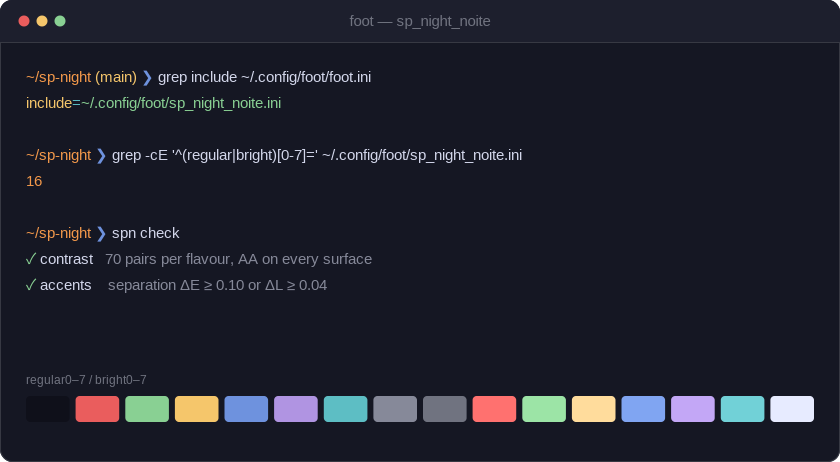
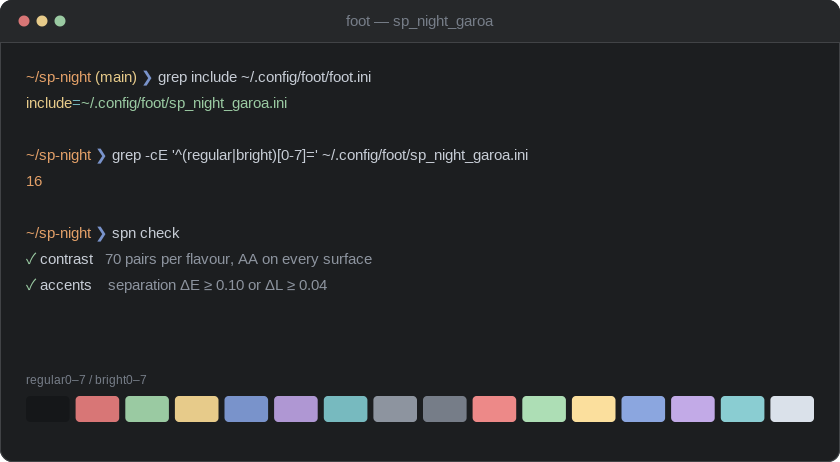
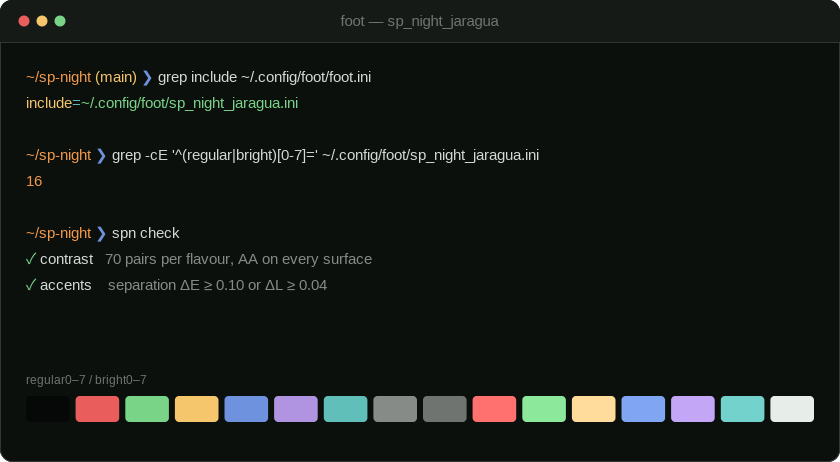
The 16-colour ANSI mapping, plus cursor, selection, URL mode, the scrollback search box and indicator, and the bell flash.
Install
~/.config/foot/sp_night_noite.ini~/.config/foot/sp_night_garoa.ini~/.config/foot/sp_night_jaragua.iniinclude=~/.config/foot/sp_night_noite.iniinclude=~/.config/foot/sp_night_garoa.iniinclude=~/.config/foot/sp_night_jaragua.iniThose are the paths for the flavour selected in the header — switch it and they follow.
foot reads a theme through an include in its own foot.ini, so the file
goes next to it and nothing overwrites it.
Grab the flavour you want (or all three):
mkdir -p ~/.config/foot
curl -Lo ~/.config/foot/sp_night_noite.ini \
https://raw.githubusercontent.com/sp-night/foot/main/themes/sp_night_noite.iniThen add the include to ~/.config/foot/foot.ini:
include=~/.config/foot/sp_night_noite.inifoot does not reload its configuration, so open a new window — or, with a
server running, restart foot --server.
Prefer a checkout? Clone and copy — the files are plain text, there is no build:
git clone https://github.com/sp-night/foot.git
cp foot/themes/*.ini ~/.config/foot/Some keys the theme deliberately leaves alone, for one reason: this project does not ship a colour nobody measured.
dim0…dim7 are absent. The palette has no measured dim set, and foot
derives faint text by blending on its own.
The 256-colour palette above 15 and the sixel palette are absent too: they are xterm’s standard cube, not a place for a colour scheme.
alpha, flash-alpha and the [csd] title bar are behaviour and window
decoration rather than terminal colour. Set them in your own config.